Book Trackers: Part 4

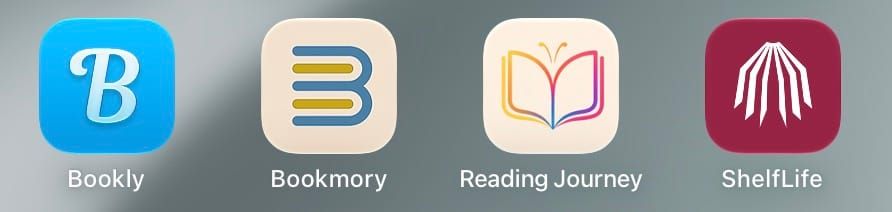
We are now almost half way through the many book and reading tracking apps that have been recommended to me on various social networks (though the number keeps growing). As usual, all of the trackers were tested for several weeks on laptop, tablet, and phone. If available, my exported GoodReads information was imported into each app. In addition, I added several ARCs (advanced reader copies) that I started reading after I began using the trackers. The information on this set of apps has been added to the static Book Trackers page that's linked at the top of each page of this website.
The Bookly app has been around a while. Originally called Bookout, this app has a reading time and concentrates on habit-tracking. Start a timer, start reading and when you're done with that session, Bookly will calculate your reading speed.
I'm just going to come out and say this. The main function of Bookly seems to be getting your money. In addition to reminding you every day to upgrade to their Pro version ($9.99 a month, $29.99 a year, $149.99 for lifetime), the gamification of the app wants to sell you "diamonds" that you need to change your themes or icons and to give your Bloo character costumes. The Pro version gets you 50 diamonds a day, but the least expensive costume for Bloo is 1900 diamonds. It also lets you add more the ten books you are limited to on the free version. You also can't sync, see your stats or backup your data unless you have the Pro version.
There's no way to log your progress without using the timer and after you do, you are taken to a screen to reflect on what you just read. Then it's your reading streak, and then (if you have the free version), you're served up an ad.
Bookly doesn't have any social aspects. Challenges are number of books read in a month or year and an A-Z challenge. The only discovery aspect is their curated books lists. You can import from Goodreads or upload a TikTok video to import all of the books mentioned. There is no way to export your data.
Bookmory is described as "your all-in-one reading tracker, journal, and goal app." This one was mentioned several times and I can see why. There is a free with ads version or Bookmory Premium ($30.99 a year) which gets you the ability to customize your home screen, a monthly reading plan, no ads, and more. You can make a back up of your data, but auto sync requires Premium.
The default design is mainly blue and white plus a layout that looks best on a phone. There is also a dark version. Your currently reading books show up right at the top and it's easy to update your progress by reading time or progress. The covers of your TBR list are shown next and then some of your statistics.
Because you can add books by search, barcode, or input, I had no problem with any of my ARCs. My only gripe is that the section to add your next book says, "Add your first book." They really should change "first" to "next." There isn't any community or challenges available.
You can import your data from Goodread, StoryGraph, and seven other apps plus a .csv file that you fill out. Export is available as text, Markdown, Excel, .csv, or Database.
If you are looking for a cozy book tracking app, take a look at Reading Journey, a iPhone app (but you can use it on your iOS or desktop machine). There is a free version with most features available and a RJ+ version ($4.99 a month or $29.99 a year) that adds in unlimited backup, collections, and statistics plus more ways to change your shelf.
The design is mainly greens and golds with falling leaves currently as the background. The covers of your "Currently Reading" books are on a shelf between two plants right at the top of the home page. To log your progress, you just tap the book and then update the number of pages or percentage you read. Something unique is the ability to snooze a book that you started, but want to take a break from reading.
You can add one goal in the free version which can be number of books, pages, or minutes read in a day, week, month, or year. You also have collections and I created one called Cozy Mysteries (of course). Your stats are available as all time, this week, last week, this month, or last month.
You can import from Goodreads or StoryGraph by connecting your account to Reading Journey. You can also import a .csv file. Export is available in either Goodreads or StoryGraph .csv files.
ShelfLife is a book tracking app that leans heavily on the visual and social aspects of reading. You can use a limited version for free or unlock features with their Box Seat subscription ($4.99 a month or $44.99 a year). Box Seat include mainly decorative features like backdrops, themes, avatars, etc. and some social features.
The default design is pleasing with cream and muted scarlet highlights. The user interface (UI) could use some work. The home screen shows you shelves from other users. The next tab is your shelves. You can't log your reading progress for your "currently reading" books until you finish them. There is a discussion available for each book if you are a Box Seat subscriber.
The social parts of ShelfLife is divided into friends and communities. If you or another ShelfLife user wants suggestions on what to read next, you can put out a Book Signal Challenges are called Feats and can be part of a community or you can create your own.
You can import your Goodreads data and you can export in "the Goodreads format" to then upload to Goodreads, StoryGraph, or Hardcover.
That's sixteen booking or reading trackers tested and reviewed. And I have at least that many left to do. But it's always interesting to see what the new-to-me ones have to offer. I'm on a roll now and hope to have Part 5 up sooner rather than later.
Happy reading!
Carla