Book Trackers: Part 3

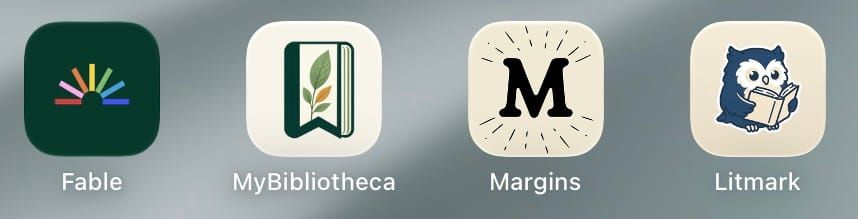
Part three of my reviews of book and reading tracking apps has four very different apps. As before, all of the trackers were tested for several weeks on laptop, tablet, and phone. If available, my exported GoodReads information was imported into each app. In addition, I added several ARCs (advanced reader copies) that I started reading after I began using the trackers. The information on this set of apps has been added to the static Book Trackers page that's linked at the top of each page of this website.
Fable is a "social reading companion". The clubs within Fable are what make it different from other trackers. But like Understory, the layout is geared towards phone screens rather than tablets. You can also access it via a web browser but the experience isn't as good as on a phone.
Basic Fable is free and Fable Plus adds more statistics, personalized goals, and "an ad-free experience." However, you can only get Fable Plus by signing up for Everand, their sister app that serves up audiobooks and eBooks much like Kindle Unlimited (err... Kindle+) or Kobo Plus. The bundle starts at $11.99 a month for one unlock (book) a month.
The design of Fable means that your currently reading books and reading streak are right at the top. What I didn't like was having to make sure the book I wanted was selected, then click "I read today" and then click "Track progress" to get to where I could enter my page count or percentage. And if you finished the book, there are three more steps it gives you (How did this book make you feel? [pick an emoji], How would you describe this book? [characters, plot, setting, writing style, content warnings], and Got more to say?). If you need help writing reviews, this may be helpful for you, but for me, it was just frustrating.
There are lots and lots of clubs available. The one I chose (Club Cozy) isn't very active, but is currently reading a book I've already read. It's interesting that the discussion is divided up by chapter so you can easily talk about the book as you go along. I'm sure the more popular genres are more active. I couldn't find any challenges, but they may be available in some of the clubs.
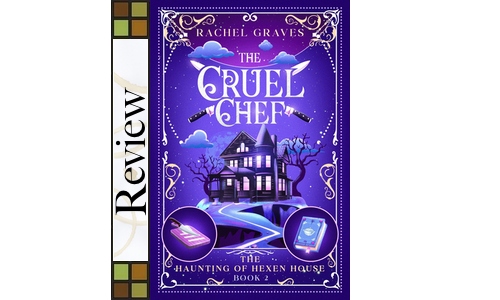
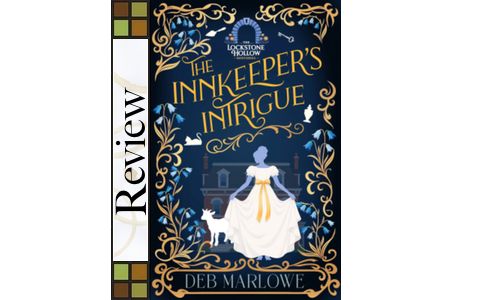
I would not recommend Fable for ARC readers. I had problems with both The Innkeeper's Intrique and The Cruel Chef. I was able to add Cruel Chef just now, but I still can't add Innkeeper's because there is no way to manually add a book.
Also, while you can import your Goodreads information (and Netflix viewing history since Fable does TV shows too), but there is no way to export your Fable data if you want to move to a different tracker. It also bears to keep in mind that Fable and Everand are owned by Scribd, Inc., a self-described "AI-powered knowledge company."
MyBibliotheca is that rare gem–a completely free book tracker with lots of features. The app is described as "Private by default, with no ads. Just a calmer place for your reading life." Originally a browser only app, MyBibliotheca is now available on iOS and Android. Unlike other apps, the tablet versions look just as good as the phone ones.
Tracking your reading progress is easy. Your currently reading books are right at the top. If you tap the "Log reading" button, you enter either the number of pages or the percentage read. If you indicated it was an audiobook, you can enter the time listened or the percentage. Other features include recent activity, your reading stats this week, share your shelf, customizable recap cards, and a vocabulary builder.
The design is clean with your choice of light, dark, or system choices. At the bottom of each screen, there are links to home, library, add, TBR, and stats. To add a book, you can search by title, author, or ISBN. If it's not found, you can add the book manually.
You can import your data from Goodreads, StoryGraph, or any other .csv file. Also, you can export your profile and library data or highlights and notes. There's even a MyBibliotheca API if you're inclined to create your own version. If you use KOReader, you can enable sync.
I've been chatting casually with the developer on Bluesky and they are very open to new features (I ask for more ARC features). Just last week, they added the ability to track book ownership, borrowed books, library loans, books you've lent out, and more. The developer has mentioned possibly adding a paid level mainly to cover their Apple Developer account. Suggested amount? 99 cents. I said that I would pay that monthly!
When book trackers are discussed on various bookish social networks, Margins always gets some mentions. On their website, they point out that the app is "beautifully designed," helps you find a book for whatever mood you're in, lets your customize your library, and focus on your reading without distractions. That last feature means that this is more of a reading tracker than a book tracker. There is a free version and the paid version ($5.99/month or $59.99/year) get you "priority support" and let you go back four extra days to adding past reading sessions. While Margins will work on tablets, pop-up windows often cut off information and you can't scroll over.
You import your data from Goodread, StoryGraph, and even Fable. You do that by logging into your respective accounts to grab your data and import into Margins. The social aspect is achieved by finding friends. You can sync your contacts, search for your friends, or share your profile. I couldn't find any challenges to do.
One feature that I really liked was a Series section which lets you know if you have missed any books in a series. For someone who reads cozy mysteries, it comes in handy. On the other hand, Margins had trouble with several of the ARCs I was reading and there's no way to upload a book cover if Margins doesn't have one or doesn't have the correct one.
Litmark is a book tracker and reading log that feels like a old-time library card or passport. As you read, you can earn stamps like "The Habit Skimmer" or "Full Day Flight Explorer." The Litmark Pro paid version ($2.99/month, $19.99/year, $69.99/lifetime) lets you collect every stamp "including the rare ones," decorate your shelf, and support the creator.
The default appearance is Vintage Archive but Glacier Frost or Evergreen Canopy are available for everyone and the Litmark Pro users get five more theme options. Whichever theme you choose, you have can it light, dark, or system. You can view your books as a list, a grid, or a shelf. One of the features the developer lists on the Apple App Store is that the app can turn your phone's screen "into a warm, dimmable reading light–candle-warm through to daylight-white–for finishing a chapter in bed without waking anyone."
You can import your Goodreads or StoryGraph data. And you can import a Litmark backup (.lmk file). No other files can be imported. You can backup your Litmark data, but it seems to only be a backup, not something you could import in another book tracking app. Litmark frequently didn't pull in the cover of a book, but you can scan the cover, upload it from your photos, or add a link to the image online.
There are no social aspects and no challenges available. Because of the way the app is set up, it will not automatically sync between your phone and your tablet. If you want your data completely private, this may be the app for you.
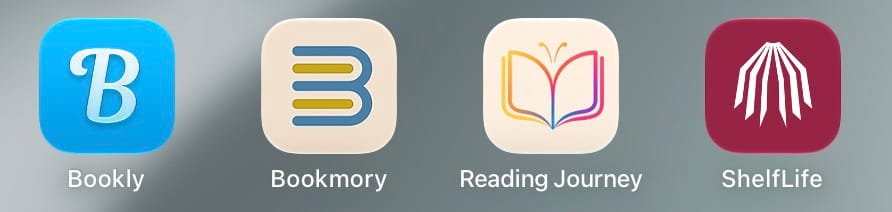
This set of trackers took a bit longer to review due to travel on my part and wanting to try out new features that some of them added. I'm hoping to have the next part of the reviews up much sooner next time. Here are the four next apps to reviewed:
Until next time, happy reading!
Carla