Book Trackers: Part 2

It's time for reviews for another set of book tracking apps. Like the first batch, all of the trackers were tested for several weeks on laptop, tablet, and phone. If available, my exported GoodReads information was imported into each app. In addition, I added several ARCs (advanced reader copies) that I started reading after I began using the trackers. The information on this set of apps has been added to the static Book Trackers page that's linked at the top of each page of this website.
NOTE: The ARC I'm currently reading is proving to be a real canary in the coal mine for book trackers. I'll fill you in as we go along.
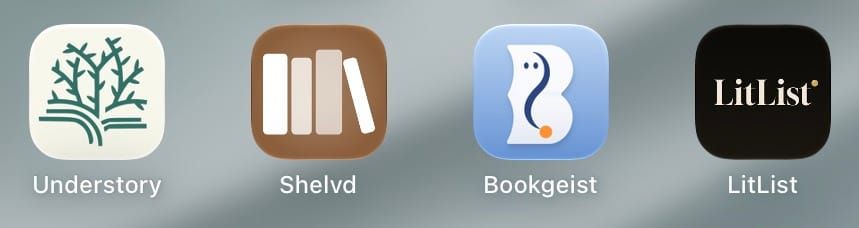
The Understory App is a book tracking app created by four college friends who were looking to get back to non-academic reading after they graduated. Understory was written specifically for iPhones/iOS so it will work on iPads and Macs, but with the smaller phone sized window. It's available for Android too.
There is a free version, but the most talked about feature (having a tree planted after you finish a certain number of books) is only available for premium members ($4.99/month or $49.99/year). The paid version also has more statistics and a "librarian program to help improve genre accuracy and collect librarian badges."
The main design of the app feels like something from the arts and crafts movement. The first time you open the app each day, you are taken straight to where you can log your reading progress. The social aspect includes lots of groups including a Welcome Group for new members. If you are feeling competitive, there are leaderboards. There are also Missions like the one I found which will randomly pick a book from your TBR shelf for you to read next. Understory had no problem with the troublesome ARC.
Shelvd calls itself a "reading tracker migration hub" as it was built to allow users to easily bring in their books from other apps like Goodreads or StoryGraph as well as more inventory like apps such as BookBuddy or Libib. If you connect certain apps, your activity on Shelvd will be pushed to the other app.
They also offer a feature where you point your phone at the page you are reading on your book or Kindle and your progress is updated. Each time you do this is considered a Bookmark. The free version of the app gets five Bookmarks a month and can add up to 1,000 books. The Plus version ($6.00/month or $58.00/year) gets 100 Bookmarks plus unlimited manual Goodreads pushes and StoryGraph, Hardcover, Pagebound sync. The Pro version ($12.00/month or $114.99/year) comes with unlimited Bookmarks and automatic Goodreads push sync. There's even a Full Shelfie version ($18.00/month or $172.99 year) that comes with everything the Pro version has plus priority support.
The design is clean and looks good on an iPad, but the popup that lets you customize your appearance is mainly hidden behind the active screen on the right side. Your profile includes a bookshelf where the spines of your books can be seen. There are clubs available, but they don't seem very active. There are leaderboards too. I didn't find any challenges or missions available. Shelvd handled the problem ARC with no issues.
Bookgeist is a fairly new book tracking app from a dev team based in Spain. Right now, it is iOS only, but they are working on an Android version. You can import CSV files from Goodreads, StoryGraph, Bookmory, and BookBoddy. Support for Fable import is coming soon. Export is mainly for backup.
The design elements are minimal with just some hints of blue on a white background. The menu at the bottom is Geist (home), Library, Desk (reading notebooks), Insights, and Settings.
There are three levels available: Classic (free), Studio ($44.90/year), and Lifetime ($79.90). According to their website, "Studio and Lifetime can buy and use Stamps. These features need an account, a connection and prior consent to send content to external AI. Only the Studio subscription includes 2 Stamps per month."
There are no community aspects or challenges. It never did find the ARC I'm reading even though I gave it the title, author, and ISBN. There was no way to add a book manually.
LitList is the creation of Canadian developer who added a very unique feature: a Family Shelf for tracking your children's reading. The free version gives you access to lots of features including unlimited library, spice ratings and trope tags, series tracking with missing-book detection, and such. The Plus version ($5.99/month or $34.99/year) adds being able to find books by mood, theme, or vibe; more themes and stats card templates, unlimited family profiles, and more.
You can import your books from Goodreads, StoryGraph, LibraryThing, Hardcover, or a CSV file. Export allows you to download all of your books, notes, and journal. If you'd like to keep your account and start over, you can choose Clear My Library. The contrarian ARC was handled with no issues.
The design is clean. The default dark theme is black with touches of white and gold. There are also themes labeled light, romantasy, oxblood, and cottagecore. You can also set the text size to small, normal, large, or extra-large.
When updating your progress, right now you can do it in pages or minutes. But the developer is in the process of adding the option of adding your progress by percentage instead. Speaking of the developer, she was been incredibly receptive to my questions and suggestions. The website has a community board where you can request what she works on next.
For the social aspects, you can add friend and do buddy reads. A year in review and the ability to compare reading years is available for Plus users.
NOTE: The developer provided me with a free three-month Plus upgrade to aid in writing this review.
Coming up next are these four book trackers. If you have a favorite book or reading app that you think I could review, leave a comment here or reach out on Instagram or Threads.
Until next time, happy reading!
Carla