Book Trackers: Part 1

Once upon a time, there was only one way to track the books you were reading. You got out a piece of paper or maybe a blank journal and wrote them down as you read them.
Now book tracking software and apps are everywhere. Ask what other readers are using and you'll be inundated with suggestions. Some you may have read of before and some are brand new (especially in the age of vibe coding).
As a former tech blogger and online instructional designer, I decided to try out all of the suggestions and see which ones work best for me and others. The goal of the project is to recommend which book trackers will probably work best for different types of readers. Because there are so many, I'm going to be dividing up these reviews and recommendations into groups of no more than four as a time. After each set is published, they will be added to the static Book Trackers page that's linked at the top of each page of this website.
All of the trackers were tested for several weeks on laptop, tablet, and phone. If available, my exported GoodReads information was imported into each app. In addition, I added several ARCs (advanced reader copies) that I started reading after I began using the trackers. Now on to the reviews!
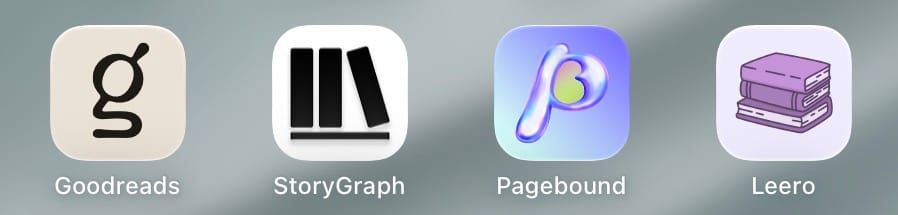
The granddaddy of book tracking websites or apps is Goodreads. Founded in 2006, Goodreads was originally independent. But, in 2013, it was acquired by Amazon. Goodreads is free to use on either their website or their apps, but there are ads. There isn't a paid version to remove the ads or get extra features. Those ads and other choices make the design overly busy. You can seamlessly sync your books and reading progress from your Kindle, but not from any other eReaders. Ratings can only be done by whole stars (no half or quarter stars) and you can add a review. In addition to its yearly reading challenge and "My Year in Books" report, Goodreads has added seasonal challenges like ones for Hispanic Heritage Month. Community aspects include groups, book discussions, and "Ask the Author." Those who prefer an independent offering or other features have been moving on from Goodreads, but publishers still want ARC readers to post here for more traction.
The StoryGraph (or just StoryGraph) grew out the frustration that some GoodReads users had. Launched in 2019, StoryGraph is more focused on book recommendations for its users based on past books read. Available for free, the paid Plus version is $4.99 monthly or $49.99 a year. The Plus version adds custom charts, more statistics, more graphics, and helps them "stay independent, ad-free, and constantly improving for many years to come." Both versions can automatically sync with Kobo eReaders, but not Kindles. The overall design is clean, but sometimes finding sections like Recently Read takes some searching. Ratings can be given in half or even quarter stars and reviews can be added at the same time. You also can favorite a book at that time and it will be added to your Favorites shelf on your profile. Community aspects include a news feed, Buddy Reads, Readalongs (described as mini book clubs), book clubs, and a listing of similar users. StoryGraph has annual and seasonal challenges and even allows you to create your own. You can import from Goodreads and export your book title, book authors and contributors, ISBN, edition format, read status, your review and rating, date added to library, read dates, read count, whether the edition is owned, and any custom tags.
If you love Lisa Frank and whimsical design, Pagebound may be the book tracking app for you. With liberal use of pink, purple, and turquoise, this app takes you back to the 1990s in its appearance. In addition to its free version, Pagebound offers a paid royal version. For $10/month, you become Pagebound Royalty and get the ability to show 12 badges on your profile (instead of 3) and many of the same perks as the StoryGraph paid version. Ratings are whole stars, but include individual ratings for overall, enjoyment, quality, characters, and plot. You can also add up to three emojis and a review. Community aspects are divided between club posts, reviews (with comments), and readalongs. Challenges are called Quests and are focused on different genres mainly. You can import from Goodreads or StoryGraph .csv files and you can export Pagebound information as .csv file.
Speaking of whimsy, Leero's default theme is white with purple and a drawing of a cat in the upper left hand corner. Free version users can make some changes to the themes, fonts, and language while premium users have more options and also get unlimited notes, collections, automated sync, backups, and advanced statistics. The premium version is $4.99/month, $39.99/year, or $79.99/lifetime. The main emphasis for Leero is the act of reading. Instead of logging how many pages you read, you start a timer for each reading session. If there is a way to log pages or percentages or minutes listened, I never found it. There also doesn't appear to be any community or challenges. This is just for you to keep track of your personal reading. You can export your detailed supported reading records and available local covers as a .zip file or get a reduced spreadsheet export as a .csv file. There is no way to import book or reading data from another tracker.
As you can see already, there are a wide range of book trackers out there right now. I definitely glad I took some time to put them through their paces before reviewing them. The next few sets of book tracker reviews should be along in no time. As a sneak preview, here are the next four on deck:
In the mean time, happy reading!
Carla